Pinterest Business Account: Set Up, Claim, First Pins
Pinterest business account guide: is it free, business vs personal, create or convert on desktop and phone, claim your website, read Analytics and first Pins.

A Pinterest business account is a free account type that adds analytics, ads, Trends data and shopping tools to a normal profile. You can create a new one on a computer or convert your personal account in a few clicks. This guide follows Pinterest Help exactly as it reads on 8 November 2026, including one change that older guides still get wrong. It also covers what to link from your profile: one link in bio page that holds your shop, your freebies and your other channels.
Photo: Szabo Viktor on Unsplash
Pinterest business account: the short answer
- It is free. Pinterest's business site says business accounts are free; you only pay if you choose to run ads.
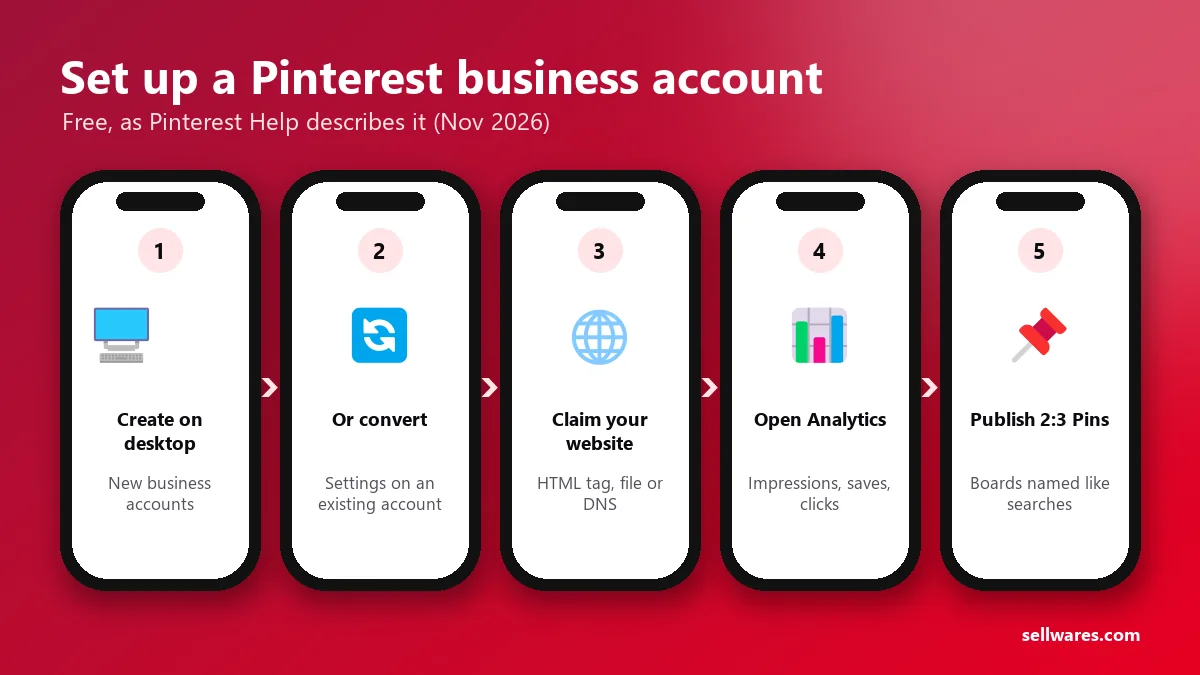
- Create a new one on desktop: go to pinterest.com, click Sign up, then Create a business account.
- Or convert your personal account: Settings, then Account management, then Convert to a business account.
- Claim your website so Pins from your site show your name and profile.
- Open Analytics to see impressions, saves and outbound clicks.
- Publish your first Pins at 2:3, which Pinterest recommends as 1000 x 1500 pixels.
What does a business account on Pinterest do?
Pinterest has two account types. Personal is the default when you sign up. A business account is the version built for creators, shops, publishers and brands that want to promote their content and products.
Pinterest's own comparison page lists what the business type adds:
- Analytics and Audience Insights: numbers for your Pins, profile and audience.
- Creator hub: creation tools and insights inside the mobile app.
- Pinterest Trends: what people search for right now.
- Ads: promoted Pins, with a budget you set.
People use Pinterest to plan and shop. Pinterest's business site says the number one reason people use it is to find new products and brands. That is why a Pinterest business profile is worth having if you sell anything at all.
Is a business account on Pinterest free?
Is a Pinterest business account free? Yes. The FAQ on business.pinterest.com says business accounts are free and that you set your own budget only if you run ads. There is no paid tier for the account itself. When you create or convert, you accept Pinterest's Business Terms of Service.
Photo: Brooke Balentine on Unsplash
Pinterest business account vs personal
| Personal account | Business account | |
|---|---|---|
| Cost | Free | Free |
| Pins, boards, profile photo | Yes | Yes |
| Profile can be private | Yes | No, business accounts are public |
| Analytics | No | Yes |
| Pinterest Trends and Creator hub | Business features | Yes |
| Promoted Pins (ads) | No | Yes |
| Switch back later | n/a | Yes, any time |
Is it better to have a business account on Pinterest? If you want to sell, send traffic to a site or learn which Pins work, yes. If you only save recipes and room ideas for yourself, a personal account is enough. Converting keeps your Pins and followers, so there is little to lose.
How to create a Pinterest business account
To create a Pinterest business account from scratch, Pinterest Help says a brand-new business account can only be made on a desktop computer. Here are the steps:
- Go to pinterest.com. If you are logged in, log out first.
- Click Sign up at the top right.
- Click Create a business account.
- Enter an email, a password and your age. The email must not already belong to a Pinterest account.
- Click Create account.
- Fill in Build your profile (name, website) and click Next.
- Fill in Describe your business and click Next.
- Choose whether you want to run ads, then click Next.
- Pick where to start, or close the window to see your new profile.
Setting up for a client? Pinterest asks employees and agencies to use their work email and their own name, so the owner can tell who has access.
The change older guides miss
Many tutorials still describe adding a "linked" business account next to your personal one. Pinterest Help now says linking a personal account to a business account is no longer possible. Accounts linked before the change stay connected unless you unlink them. So you have two real choices: a separate new account, or converting the one you have.
How to convert a personal account to a business account
This is how to set up a Pinterest business account without losing your Pins. Before you start, make your account public if it is private, and unlink it if it is linked to another account.
On a computer
- Log into your personal account.
- Click the more options icon at the bottom left.
- Select Settings.
- Click Account management on the left.
- Find Convert to a business account and click Convert account, then confirm.
- Fill in Build your profile and Describe your business, clicking Next after each.
- Choose whether to run ads, then pick where to start.
On a phone (iPhone or Android)
- Open the Pinterest app and tap your profile picture at the bottom right.
- Tap your profile photo at the top left.
- Tap Account management.
- Tap Convert to a business account, then Convert account.
- Enter your profile name and tap Next.
- Add your website URL, or tap Skip this step.
- Describe your business, choose whether to run ads, and tap Done.
You can convert on the go, but a brand-new account needs a desktop.
Claim your website
Claiming tells Pinterest you own a site. Some third-party guides send you to the Pinterest Business hub for this; Pinterest Help's current steps start in Settings. When someone saves an image from it, your profile picture appears on the Pin with a follow option, and you see how often your content is shared.
The steps on desktop:
- Click the down arrow at the top right and select Settings.
- Click Link to Pinterest on the left.
- Click Claim next to Websites.
- Pick a method: HTML tag, HTML file, DNS TXT record, or Google Merchant Center for some accounts.
- Add the code to your site, return to Pinterest, enter your URL and click Verify.
Rules worth knowing before you try:
- You must own the domain and be able to edit its code or DNS.
- Marketplace stores like Etsy, eBay and Amazon cannot be claimed.
- One website can be claimed by only one Pinterest account.
- DNS changes can take up to 72 hours to work.
A store or link in bio page on your own domain can use the DNS TXT method, because you control that domain's settings. Check your claimed sites later under Settings, then Claimed accounts.
Read your Pinterest Analytics
On desktop, open the menu at the top left and choose Analytics, then Overview. In the app, tap your profile picture, then the chart icon at the top left.
The metrics that matter most at the start:
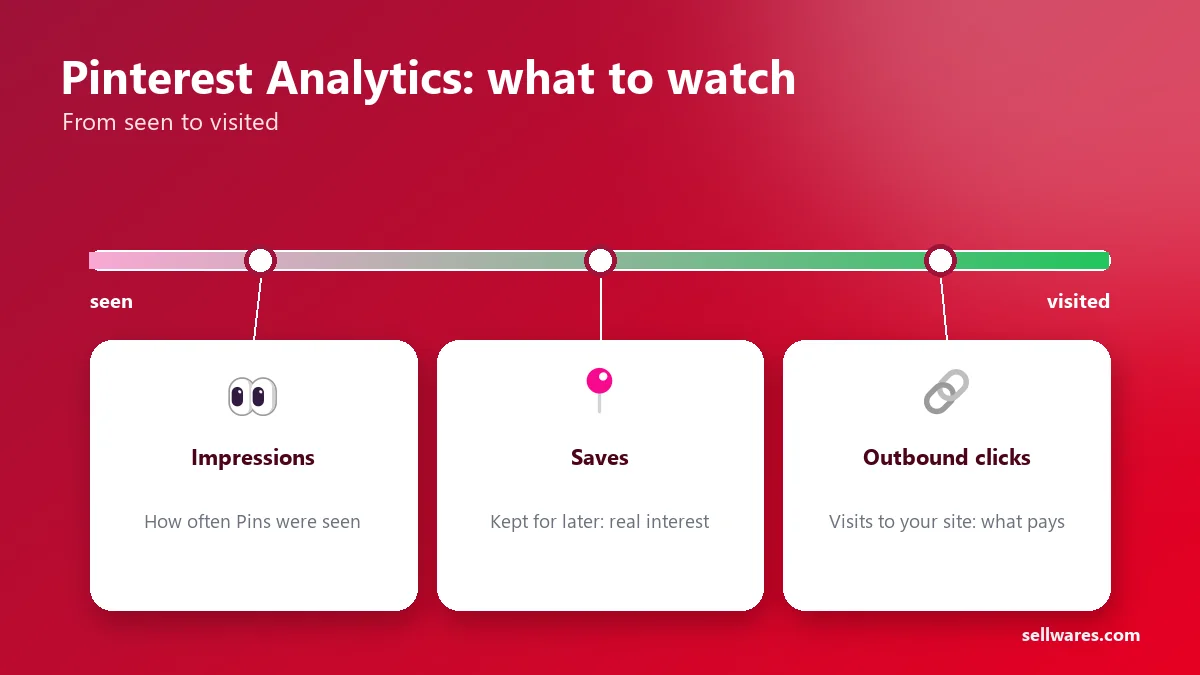
- Impressions: how often your Pins were seen.
- Saves: people keeping your Pin for later, a strong interest signal.
- Outbound clicks: visits from a Pin to your site. This is the number that pays the bills.
The overview shows the last 30 days by default. Pinterest says you can look back about a year and a half, and a toggle adds estimates from the last 48 hours.
Your first Pins: what to make
Your Pinterest business profile looks empty until it has a few boards and Pins. Start with these:
- Three to five boards named the way people search, such as "Small kitchen storage", not "Stuff I love".
- One Pin per product or freebie, each linking to its own page, not your home page.
- A how-to Pin that teaches one step and links to the full guide.
- A free download Pin, for example a checklist, that collects emails on your page.
Pinterest's specs recommend a 2:3 image, or 1000 x 1500 pixels, as PNG or JPEG. Titles can run to 100 characters, but often only the first 40 show in the feed, so put the key words first. Descriptions can hold 800 characters.
If you are still deciding what you want to be known for, read how to build a personal brand first. Your boards should match that one idea.
Where should your profile link point?
Your profile has one website field. Point it at one page that does every job: shows your products, offers a freebie and links your other channels. On Sellwares that page is free, and people can buy digital products like printables and templates without leaving it.
What we found in the top results
We read Google's results for "pinterest business account" on 8 November 2026, with Ahrefs data:
- Pinterest owns the top. business.pinterest.com ranks first with 2,563 linking websites. Pinterest's personal vs business page is next, with 11.
- A Reddit thread ranks third. Reddit refused our automated read, so we could not review it.
- SocialBee ranks fifth with 0 linking websites. It still teaches the linked-account method that Pinterest Help says is gone.
- The gap: none of the top three covers creating, converting, claiming, Analytics and first Pins in one place with Pinterest's current steps.
Get your profile ready to sell
Once your business account is live, claim your site and publish your first Pins this week. Then give your profile link somewhere worth landing. Create a free store and use its link in bio page as your Pinterest website.
Questions
Can I have a personal and business Pinterest account?
Yes, as two separate accounts with different emails. Pinterest Help says linking a personal account to a business account is no longer possible, though accounts linked before that change stay connected unless you unlink them.
Will I lose my Pins and followers if I convert?
No. Pinterest Help says your Pins and followers stay the same after you convert. Your profile does become public, because business accounts cannot be private.
Can I switch a business account back to personal?
Yes. Pinterest Help says you can switch back to a personal account at any time.
Can I create a Pinterest business account on my phone?
You can convert an existing personal account in the app. A brand-new business account can only be created from a desktop computer, according to Pinterest Help.
Can I claim my Etsy shop on Pinterest?
No. Pinterest Help says most marketplace stores, including Etsy, eBay and Amazon, cannot be claimed. You need a domain you own and can edit, such as your own store or site.
Sources
Related
 BlogPersonal brand · 7 min readHow to Build a Personal Brand: 7 Steps and ExamplesHow to build a personal brand in 7 steps: choose a position, write a brand statement, collect proof and set up a home base, with real personal brand examples.
 Oliver BennettRead the post →
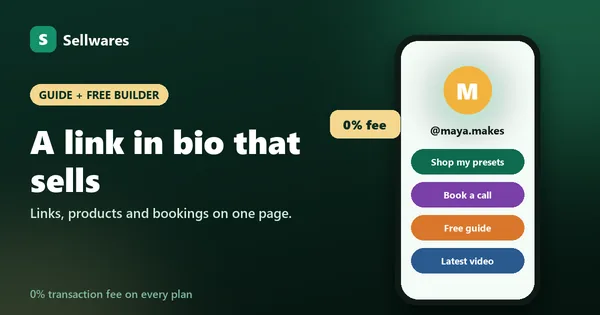 Free Link in Bio Store With 0% FeesA free link in bio that sells: links, products, bookings and email sign-ups on one page, with 0% transaction fees and…
 Janie BrooksTake a look →
 Guide30 min · 10 stepsHow to Start an Online Coaching Business (2026 Guide)How to start an online coaching business: name the result, set session length, price and hours, take bookings on a…Janie BrooksFollow the guide →
 BlogUGC become · 6 min readHow to Become a UGC Creator (No Followers Needed)How to become a UGC creator with no followers: pick a niche, film sample videos on your phone, build a portfolio page…Oliver BennettRead the post →
 Answer5 min readStan Store Review 2026: Is It Legit and Worth It?Stan store review 2026: Creator is $29 a month, Creator Pro $99, 0% transaction fees, no free plan. What you keep on…
 Alexa MorganRead it →